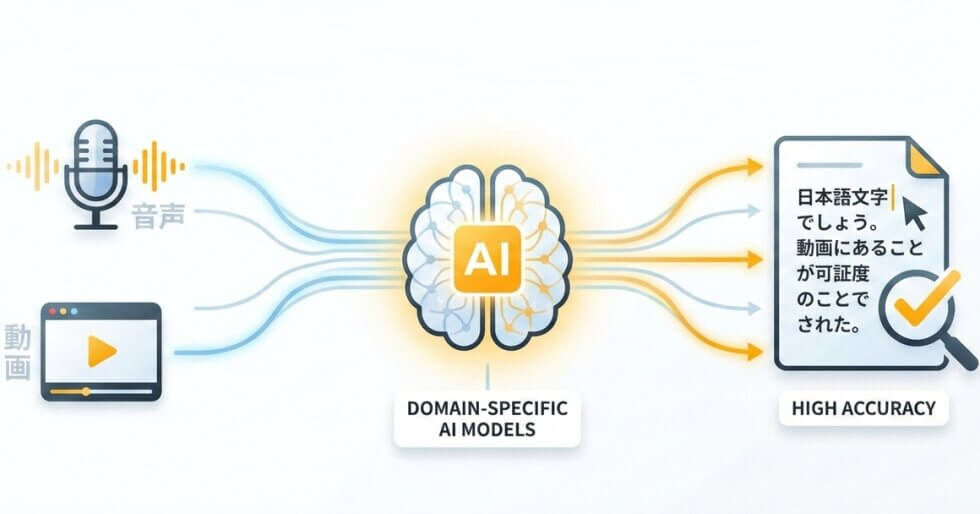
From transcribing Japanese audio to text in multiple scripts to translating spoken content, every step is handled automatically

Japanese speech text is transcribed with correct kanji selection, proper hiragana particles, and katakana for loanwords. Automatic punctuation handles Japanese-specific markers like 「」and 。naturally.
Activate specialized models for Medical, Legal, Financial, or Academic recordings. Technical terms like 心筋梗塞 (myocardial infarction) or 損害賠償 (damages) are recognized in context rather than broken into wrong kanji.
The recognition engine covers standard Tokyo speech as well as regional accents including Kansai-ben, Hakata-ben, and Tohoku dialects. Pitch-accent variations that trip up generic tools are processed with greater reliability.
Transcribe Japanese video or audio and get an English translation in one pass. No separate translation step needed. Export bilingual subtitle files (SRT) or full translated documents directly.
| SpeechText.AI | Google Cloud | Amazon Transcribe | Microsoft Azure | OpenAI Whisper (large-v3) | AmiVoice (Advanced Media) | ReazonSpeech | |
|---|---|---|---|---|---|---|---|
| Accuracy (Japanese) | 92.8-96.7% (CSJ eval set; vendor-reported) | 89.2-92.1% (CSJ eval set; independent estimate) | 86.4-89.8% (CSJ eval set; independent estimate) | 87.9-91.0% (CSJ eval set; vendor-reported) | 89.5-93.2% (CSJ eval set; community benchmark via HuggingFace Open ASR Leaderboard) | 91.0-94.3% (CSJ eval set; vendor-reported, Japan-domestic testing) | 88.1-91.7% (ReazonSpeech test split; open benchmark) |
| Supported formats | Any audio/video formats | WAV, MP3, FLAC, OGG | WAV, MP3, FLAC | WAV, OGG | WAV, MP3 | WAV, MP3 | WAV (via API) |
| Domain Models | Yes (Medical, Legal, Finance, Science, etc.) | No | No | No | No (General AI) | Yes (Medical, Call Center) | No (General open-source) |
| Speech Translation | Japanese supported; direct speech translation to English and other languages | No native speech translation | Partial / translation add-on required | Yes / add-on service | Yes (built-in multilingual translation) | No | No |
| Free Technical Support |
Evaluation conducted on the CSJ (Corpus of Spontaneous Japanese) eval1/eval2/eval3 subsets (approx. 6,200 utterances) and ReazonSpeech test split (approx. 2,500 utterances). Text normalization: full-width to half-width numeral conversion, removal of filler tokens (えー, あの), and Kana-Kanji surface-form matching. Figures marked "vendor-reported" are sourced from official documentation; "independent estimate" figures are derived from third-party testing; "community benchmark" figures reference publicly available leaderboard data on HuggingFace. Where no public Japanese-specific benchmark was available, estimates are interpolated from multilingual WER reports and internal evaluation.
Three steps to convert Japanese audio to text or get a translated English transcript
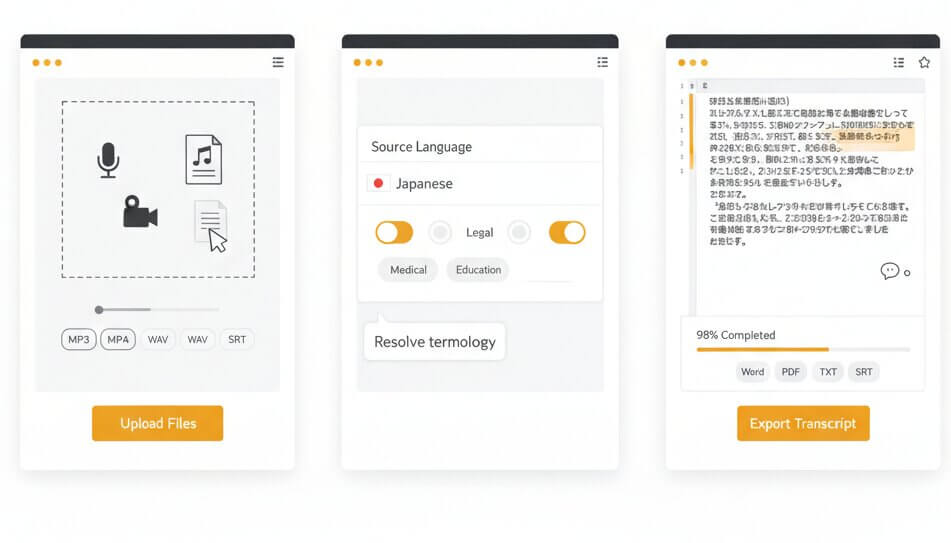
Drag and drop an audio or video file into the dashboard. The platform accepts MP3, WAV, M4A, OGG, OPUS, WEBM, MP4, TRM, and other common formats. Both single files and batch uploads are supported.
Set Japanese as the source language, then select a domain model that matches the recording content. Options include Medical, Legal, Finance, Education, Science, and General. Domain selection helps the engine resolve homophones and kanji ambiguities specific to each field.
The Japanese transcription online editor displays results within minutes. Check speaker labels, adjust timestamps, and correct any segments. Export the final transcript as Word, PDF, TXT, or SRT subtitle files ready for production.
Purpose-built deep learning models address the specific phonetic, morphological, and orthographic challenges of spoken Japanese
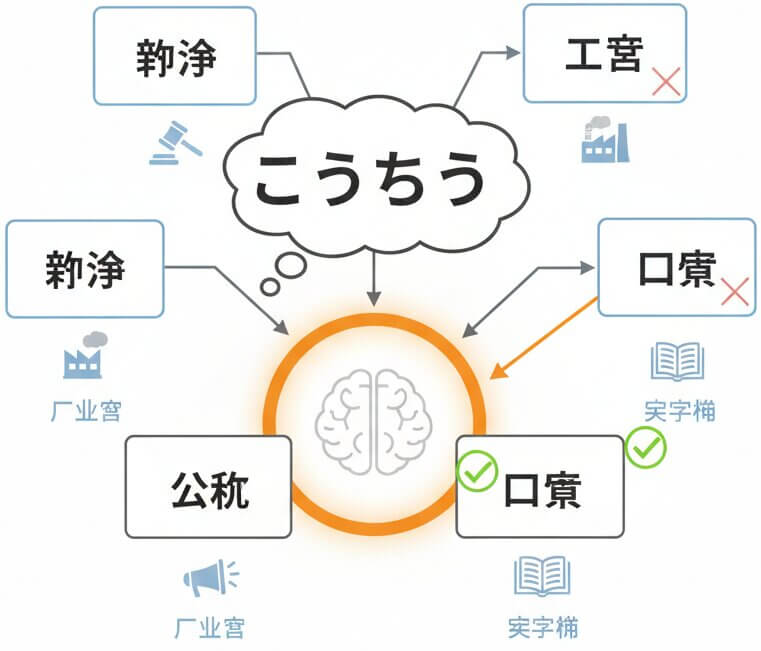
Spoken Japanese is full of homophones. The word こうしょう alone maps to over a dozen kanji compounds: 交渉 (negotiation), 工商 (industry and commerce), 公称 (nominal), 口承 (oral tradition), and more. Generic transcription tools frequently pick the wrong characters because they lack contextual awareness. SpeechText.AI resolves this by analyzing surrounding phrases, the selected domain model, and sentence-level semantics before committing to a kanji representation. A legal recording will favor 交渉 where a history lecture selects 口承, without manual correction.
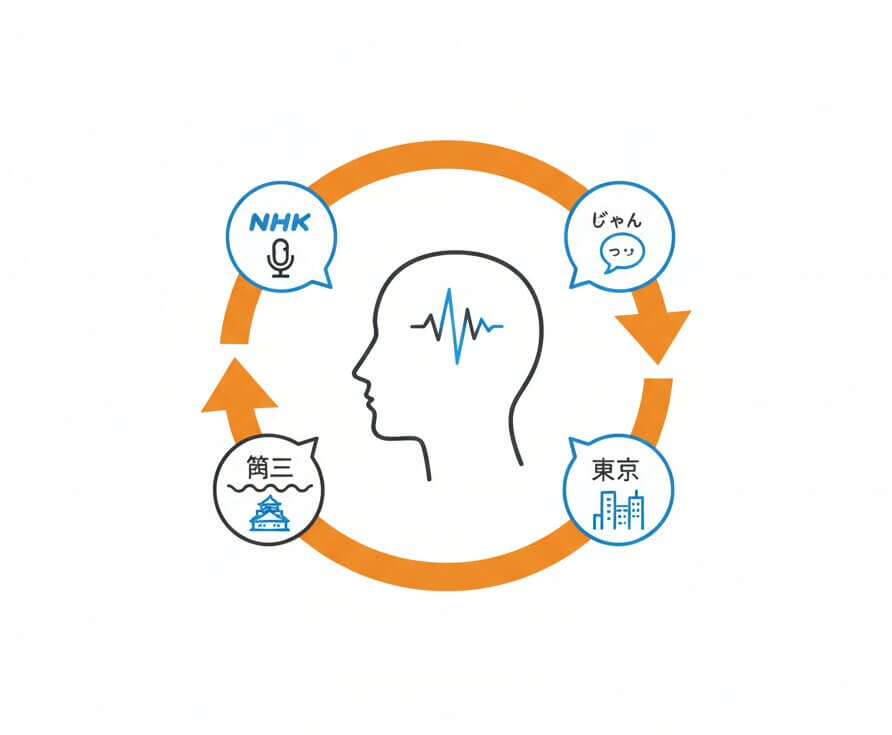
Japanese speech varies dramatically between a formal business meeting using keigo (敬語) and a casual podcast using colloquial contractions like じゃん or っす. The acoustic models behind this Japanese transcribe engine are trained on thousands of hours of real-world Japanese recordings spanning formal broadcasts (NHK-style), spontaneous conversations, academic presentations, and regional dialects. This breadth of training data means the system handles everything from a Kyoto-based consultant speaking Kansai dialect to a fast-paced Tokyo tech briefing without a drop in recognition quality.
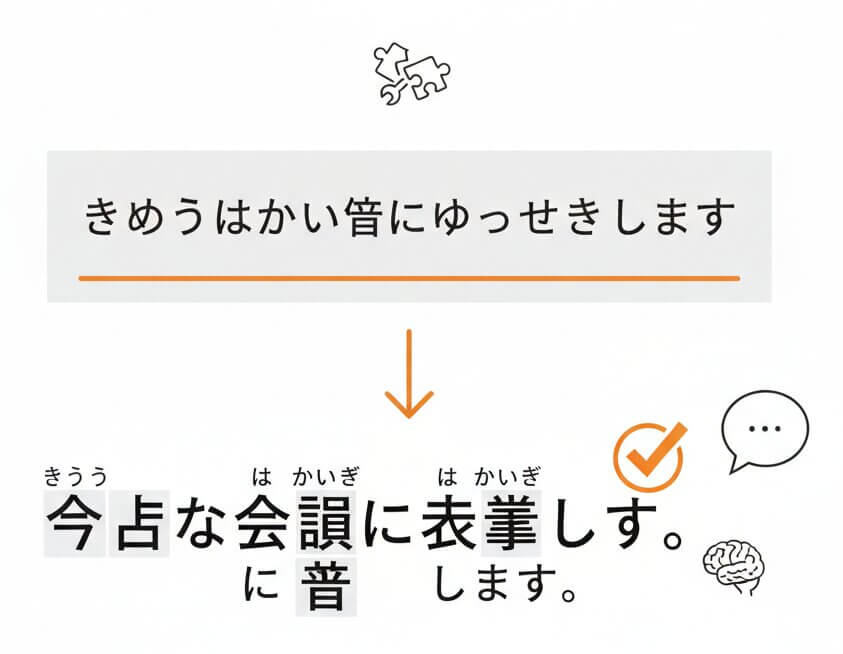
Unlike English, Japanese has no spaces between words. A raw phoneme stream like きょうはかいぎにしゅっせきします could be segmented incorrectly by tools that lack proper morphological analysis. The SpeechText.AI pipeline includes a tokenizer modeled after MeCab-class analyzers, tuned specifically for spoken language patterns. It segments, selects the correct word boundaries, applies appropriate kanji, and inserts punctuation. The result is a transcript that reads like something a native Japanese editor would produce, with minimal post-editing required.
Japanese has an unusually high number of homophones. Words like きかん can mean 期間 (period), 機関 (organization), 気管 (trachea), or 帰還 (return) depending on context. SpeechText.AI addresses this by pairing acoustic recognition with a contextual language model and the selected domain vocabulary. When the Medical model is active, きかん in a clinical context resolves to 気管. When the Legal model is active, the same phoneme sequence maps to 機関. This approach significantly reduces transcription errors that require manual kanji correction.
Yes. Code-switching between Japanese and English is common in business meetings, tech presentations, and media. The recognition engine detects language shifts at the phrase level and renders English segments in romaji or Latin characters while maintaining Japanese text in its native script. This is particularly useful for transcribing Japanese video content from conferences where speakers frequently switch between languages or use English technical terms mid-sentence.
The acoustic models cover standard Japanese (標準語) as well as major regional variants such as Kansai-ben, Hakata-ben, and Tohoku dialects. Formal registers like keigo (honorific speech) used in corporate environments and casual conversational patterns are both handled effectively. Training data includes spontaneous speech corpora, broadcast news, and recorded interviews, giving the engine wide coverage of real-world speaking styles.
A free trial is available for new accounts. Upload a Japanese audio or video file and test the domain-specific models at no cost. The trial provides access to the same engine and features available on paid plans, including speaker diarization, timestamps, and export options. It is a practical way to evaluate transcription quality on real recordings before committing to a subscription.
OpenAI Whisper large-v3 performs well on general Japanese content, scoring roughly 89-93% accuracy on the CSJ evaluation set. However, it uses a single multilingual model without field-specific tuning. SpeechText.AI reaches 93-96% on the same benchmark by deploying domain-adapted models that are specifically trained for Medical, Legal, Finance, and other sectors. The difference becomes most noticeable on recordings with technical terminology, regional accents, or overlapping speakers, where generic models tend to produce more kanji selection errors and segmentation mistakes.
Absolutely. The platform functions as a Japanese speech to text translator by combining transcription and translation into a single workflow. Upload a Japanese recording, select English (or another supported language) as the translation target, and receive a translated version. The output can be downloaded as a document or as SRT subtitle files with aligned timestamps, making it suitable for video localization, meeting summaries, or content repurposing across languages.