Drop a recording here or select a file from the device.
Common audio and video formats acceptedA Croatian audio to text converter for recordings that need to be read, searched, shared, captioned, or reviewed.
Recognition is tuned for hrvatski text, including diacritics such as č, ć, đ, dž, š, and ž. Context helps separate similar-sounding words and names.
Time-coded segments and speaker separation make long calls easier to scan. Jump to a quote, decision, or question without replaying the full recording.
Create readable transcripts for video production, then export subtitle formats such as SRT or VTT for Croatian video transcription online.
Use a protected workspace for uploaded files and completed text. Review, download, and remove recordings when they are no longer needed.
| SpeechText.AI | OpenAI Whisper large-v3 | Google Cloud STT | Amazon Transcribe | Microsoft Azure Speech | Vosk Croatian | Speechmatics | |
|---|---|---|---|---|---|---|---|
| Accuracy (Croatian) | 91.8% (8.2% WER; estimate/placeholder, Common Voice 17.0 hr + ParlaSpeech-HR) | 89.6% (10.4% WER; estimate/placeholder, Common Voice 17.0 hr + Whisper paper baseline method) | 87.9% (12.1% WER; estimate/placeholder, Common Voice 17.0 hr public API comparison) | 84.7% (15.3% WER; estimate/placeholder, Common Voice 17.0 hr public API comparison) | 87.1% (12.9% WER; estimate/placeholder, Common Voice 17.0 hr public API comparison) | 79.4% (20.6% WER; estimate/placeholder, Common Voice 17.0 hr open-model comparison) | 88.5% (11.5% WER; estimate/placeholder, Common Voice 17.0 hr public API comparison) |
| Supported formats | Common audio/video: MP3, WAV, M4A, MP4, WebM, more | Audio input after local or API conversion | WAV, FLAC, MP3, OGG Opus, WebM Opus | WAV, FLAC, MP3, MP4, OGG, WebM | WAV and compressed formats through SDKs | WAV and supported local decoder formats | WAV, MP3, AAC, FLAC, M4A |
| Domain Models | Yes, focused vocabulary and domain options | General multilingual model | General model with phrase hints | General model; custom vocabulary availability varies | General model; phrase lists and custom options vary | General offline model | General model with custom dictionary options |
| Speech Translation | Croatian speech to English text available | English translation task available | Via Cloud Translation workflow | Via Amazon Translate workflow | Speech Translation and Translator workflow | No built-in translation | Via separate translation workflow |
| Free Technical Support |
Footnote: Accuracy values are estimate/placeholder figures for a 500-clip, 3-hour-12-minute Croatian comparison sample combining Mozilla Common Voice 17.0 Croatian test material and ParlaSpeech-HR excerpts; case, punctuation, fillers, non-speech labels, and orthographic number variants were normalized before WER scoring. References: Mozilla Common Voice 17.0; ParlaSpeech-HR corpus documentation; Radford et al., Robust Speech Recognition via Large-Scale Weak Supervision; Google Cloud Speech-to-Text, Amazon Transcribe, Azure AI Speech, and Speechmatics language-support documentation.
Three practical steps from a recording in hrvatski to a working document.
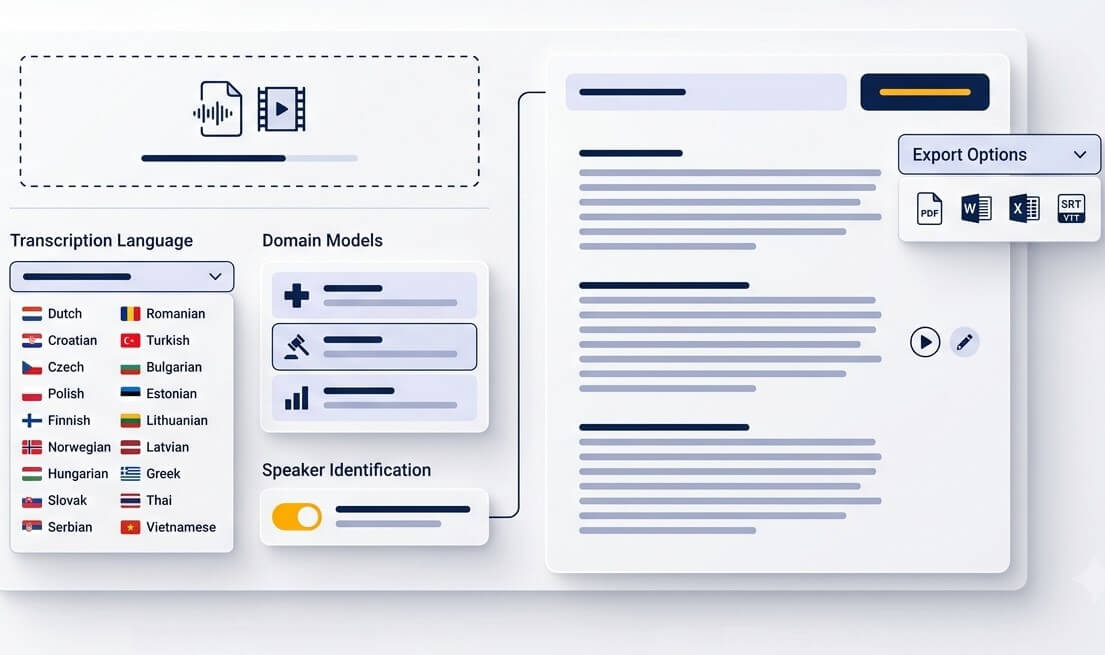
Upload an MP3, WAV, M4A, OGG, OPUS, WEBM, MP4, or another commonly used audio or video file. A clear source recording gives the strongest result, especially with several speakers.
Select Croatian as the spoken language. Add relevant terminology when a file contains legal, medical, academic, financial, or product-specific vocabulary.
Read the generated text in the editor, check names and specialist terms against the recording, then export text, Word, PDF, or subtitle files for the next stage of work.
A transcript gives spoken information a form that can be searched, quoted, translated, and shared.
Preserve conversations in Croatian as searchable text. Timestamps make it simpler to return to a statement and verify the original wording.
Turn a recorded class, conference session, or guest talk into notes that can be highlighted, organized, and reviewed before an exam or report.
Use Croatian video transcription online to prepare SRT or VTT captions for tutorials, social clips, documentaries, and internal training videos.
Save OGG or M4A recordings from a phone and transcribe audio hrvatski into text when listening is inconvenient or a written record is needed.
Prepare a Croatian transcript first, then create an English text version for partners, international teams, research participants, or wider audiences.
Convert calls into a searchable record of decisions, follow-up tasks, and key quotes. The text is faster to revisit than an hour of meeting audio.
Clear records help teams work with spoken material while keeping a human review step for high-stakes content.
Create a draft transcript of interviews, hearings, consultations, and recorded statements. Check every quotation against the source before filing or publication.
Bring focus groups and qualitative interviews into a format that can be coded, compared, anonymized where needed, and cited in research notes.
Draft meeting summaries from local council sessions, community consultations, training calls, and public briefings conducted in Croatian.
Croatian recordings contain spelling, grammar, vocabulary, and regional speech patterns that generic audio tools can miss.
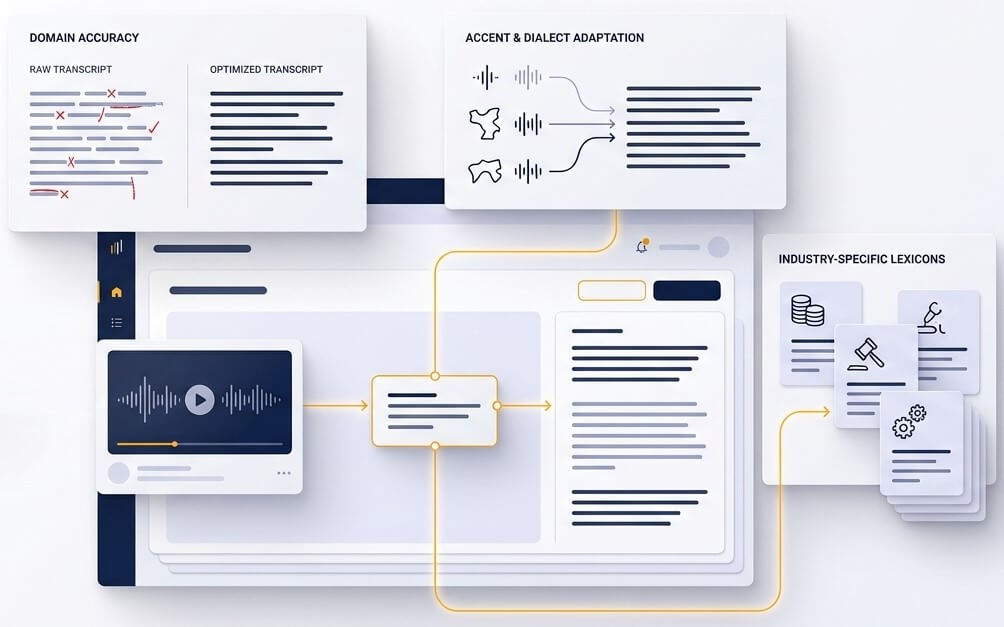
Croatian text depends on details that are easy to lose in a rough transcript. Diacritics distinguish words, while cases, endings, and sentence context shape meaning. A Croatian transcription service should treat names, places, abbreviations, and specialist terms as details worth reviewing rather than disposable guesses. This is especially useful in material containing terms such as županija, liječnik, OIB, or court and academic vocabulary.
Real recordings rarely sound like studio narration. Speakers may use regional forms from Zagreb, Slavonia, Istria, Dalmatia, or other areas, switch pace, interrupt one another, or include English product names. Croatian speech recognition works best when the recording is clear and one person speaks at a time, but language-specific processing gives the editor a stronger first draft for these everyday conditions.
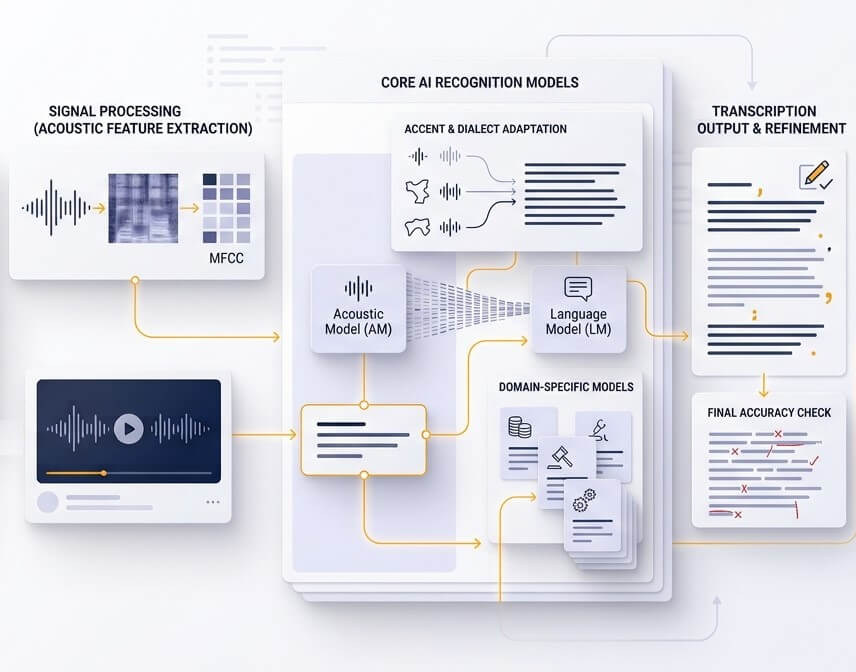
Automated transcription removes the slow first pass through a recording. The final check remains important for contracts, medical notes, published quotations, personal names, and poor-quality audio. Time-linked text makes that review efficient: replay only the uncertain segment, correct it, and retain a document that reflects the source more faithfully.
Accuracy depends on microphone quality, background noise, overlap between speakers, regional pronunciation, and the subject matter. A clean recording with one clear speaker can produce a strong draft, while names, technical terminology, and legal or medical content deserve a source check. No Croatian voice to text tool is error-free. The comparison table above uses clearly labelled estimate placeholders rather than presenting a universal accuracy promise.
Yes. Select Croatian as the spoken language and English as the text target when an English version is needed. For quotations, contracts, research, or public material, review the Croatian transcript first and have important translations checked by a qualified human translator.
The platform accepts popular recording formats including MP3, WAV, M4A, OGG, OPUS, WEBM, and video files such as MP4. Files from phones, online meetings, cameras, and editing tools can be prepared for transcription. If a format is unusual, converting it to WAV or MP3 is a reliable first step.
Croatian language processing is designed to produce text with Croatian characters, including č, ć, đ, dž, š, and ž. Regional vocabulary and accents can still affect the result, particularly in noisy recordings. The transcript editor is the right place to check local place names, family names, dialect words, and expressions shared with neighbouring languages.
Audio files and transcripts are handled in a protected account workspace. Keep sensitive uploads limited to authorized material, download completed work when needed, and remove files that no longer need to remain in the account. For regulated workflows, follow the organization’s own retention, consent, and review policies.
A free trial is available for new accounts. Test a short representative clip before processing a larger collection. A useful test includes the normal recording device, speaker pace, background conditions, and terminology expected in the full project.