Drop a recording here, or select a file from the device.
MP3, WAV, M4A, OGG, MP4, WEBM and moreUseful language controls for recordings from quick voice notes to multi-speaker video
Recognition is tuned for everyday Serbian pronunciation, including sounds such as č, ć, š, ž, and đ that change the meaning of a word.
Select the script that fits the audience. The transcript can be prepared for Serbian Latin or Cyrillic review before export.
Speaker turns and time markers make interviews, meetings, and recorded panels easier to scan, quote, and check against the source.
Keep an editable transcript for notes, or create subtitle files for Serbian video. Common text and caption formats support simple handoff.
| SpeechText.AI | Google Cloud | Amazon Transcribe | Microsoft Azure | Whisper large-v3 | Vosk Serbian | VoxSigma | |
|---|---|---|---|---|---|---|---|
| Serbian WER, lower is better | 12.4% (Common Voice Serbian 16.1, internal test/vendor-reported) | 16.8% (Common Voice Serbian 16.1, estimate/placeholder; no public vendor WER) | 18.7% (Common Voice Serbian 16.1, estimate/placeholder; no public vendor WER) | 17.6% (Common Voice Serbian 16.1, estimate/placeholder; no public vendor WER) | 15.9% (Common Voice Serbian 16.1, estimate/placeholder; public model baseline) | 23.9% (Common Voice Serbian 16.1, estimate/placeholder; public model baseline) | 20.8% (Common Voice Serbian 16.1, estimate/placeholder; language-support baseline) |
| Supported formats | MP3, WAV, M4A, OGG, MP4, WEBM | WAV, FLAC, MP3, OGG, WebM | WAV, FLAC, MP3, MP4, OGG, WebM | WAV, MP3, OGG, WebM | Common audio/video formats via FFmpeg | WAV PCM directly; conversion may be needed | WAV, MP3, MP4, plan dependent |
| Domain Models | Legal, medical, media, education | General, telephony, video models | General, call analytics, custom vocabulary | General and Custom Speech | General multilingual model | General community model | General and media options |
| Speech Translation | Serbian to English options | Via Cloud Translation workflow | Via Amazon Translate workflow | Via Speech Translation workflow | Serbian to English mode | No built-in translation | Separate translation workflow |
| Free Technical Support |
Three practical steps from recording to usable Serbian text
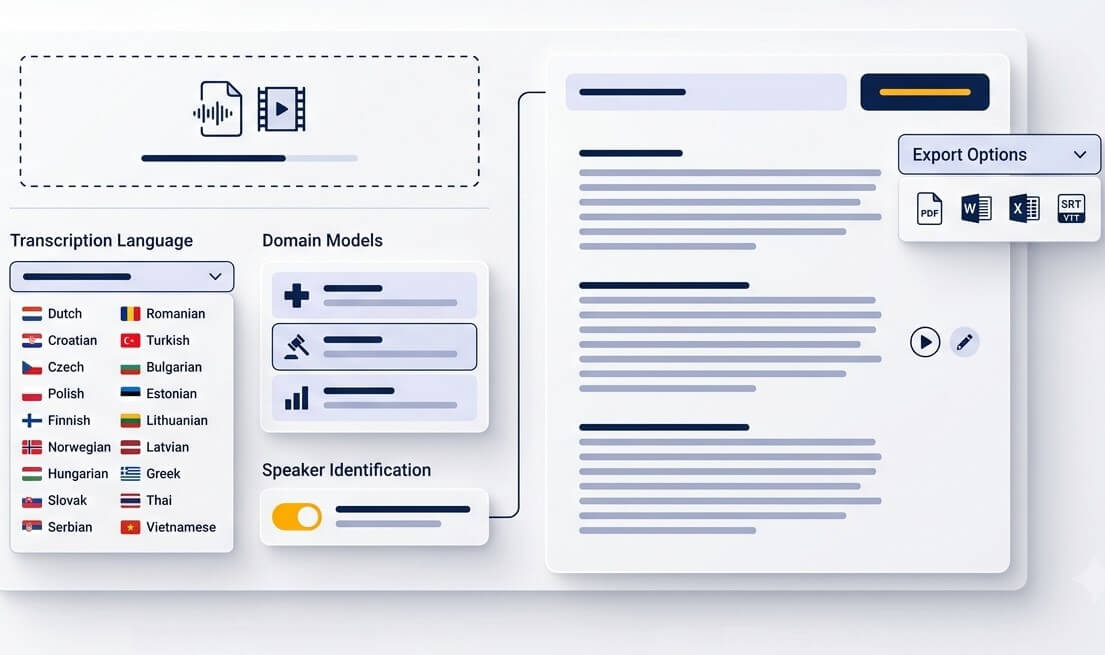
Upload an audio or video file from a phone, recorder, meeting platform, or camera. MP3, WAV, M4A, OGG, OPUS, WEBM, MP4, and other common formats are accepted.
Set the spoken language to Serbian, then select Latinica or Ćirilica for the working transcript. A relevant domain can help with names, abbreviations, and specialist vocabulary.
Open the editable draft, replay difficult moments, correct proper names, and export text or timed captions. Human review is recommended for records that carry legal, clinical, or publication responsibility.
Read, search, share, and reuse the spoken information that would otherwise stay inside a file
Save a Serbian voice message as OGG or M4A, upload it, and turn a long chat update into text that can be forwarded or searched later.
Convert a class recording into revision notes. Timestamps help return to a definition, example, or question without replaying the entire lesson.
Serbian video transcription services are useful for creators who need a readable script, SRT captions, or a starting point for translated subtitles.
Keep interviews accessible after the recording ends. Speaker markers make it easier to locate a quote, compare responses, and prepare a clean edit.
Create a Serbian transcript first, then use it as a clear source for an English translation, summary, or subtitle workflow.
Turn a recorded Zoom, Teams, or webinar session into meeting notes. Search the transcript for decisions, dates, and tasks after the call.
A searchable first draft saves time when spoken material needs careful review
Prepare a searchable draft from consultations, hearings, or witness interviews. Check names, quotations, and final wording against the original recording before filing.
Use transcripts to organize recorded interviews, research sessions, or educational discussions. Sensitive information should always follow the organization’s review and retention rules.
Find soundbites faster, build episode notes, and prepare captions for Serbian audiences. Time-coded text makes editorial fact-checking more efficient.
Language-aware choices help turn speech into text that is easier to read, verify, and publish
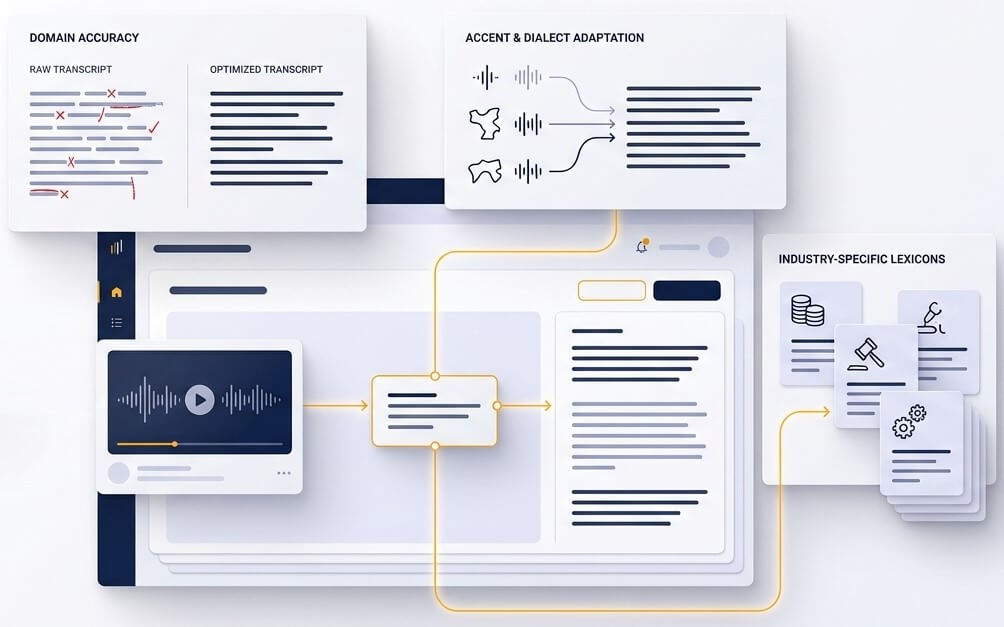
Serbian uses both Latin and Cyrillic scripts in daily life. A university handout, local news article, public document, or company archive may follow a different convention. Selecting Latinica or Ćirilica at the start gives editors a useful base, while names, brands, links, and abbreviations remain easy to check in context.
Serbian recordings do not all sound the same. Speakers may use ekavian forms such as "vreme", ijekavian forms such as "vrijeme", fast informal phrasing, or English product names inside a Serbian sentence. The transcription engine uses the sentence around a word to produce a stronger first draft, but proper names and specialist terms still deserve a quick listen-back.
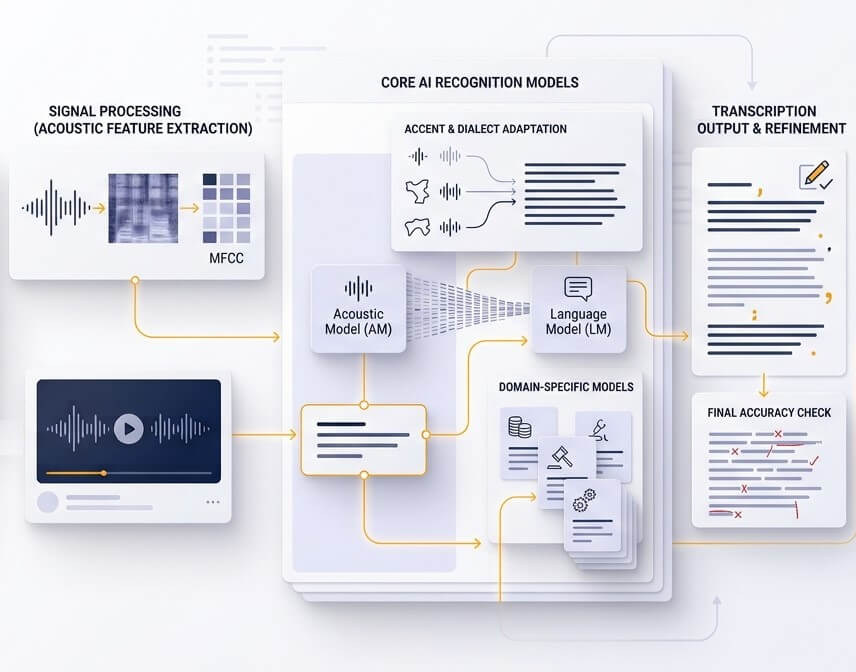
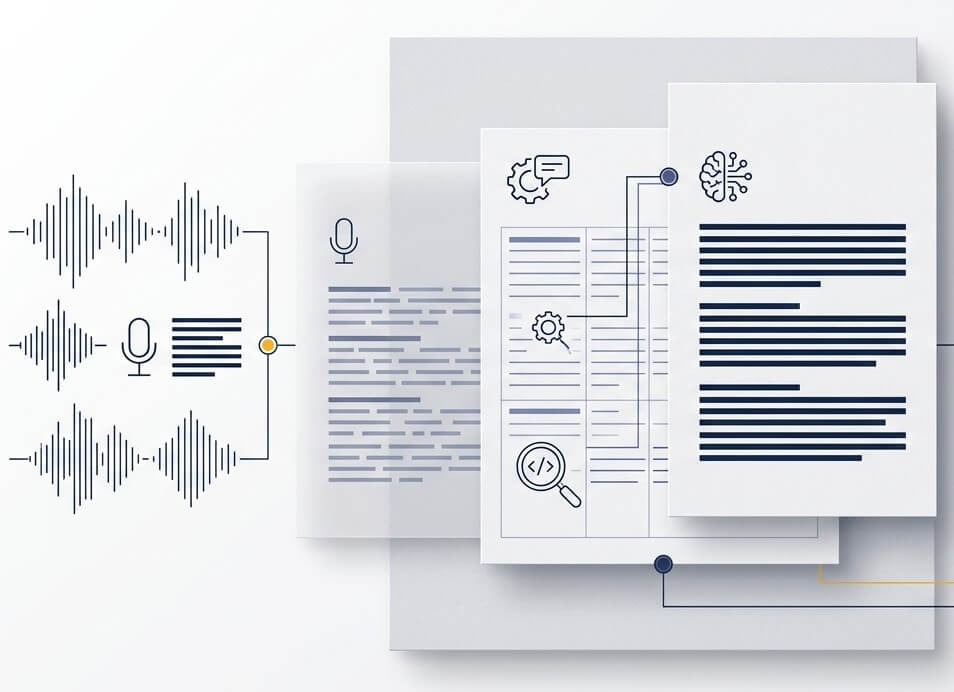
Good transcription is more than a block of text. An editor with playback, timestamps, and speaker separation gives reviewers a direct way to confirm uncertain passages. This makes SpeechText.AI useful as a Serbian audio to text converter for work that needs a fast draft and a dependable review path before it is shared.
Accuracy depends on recording quality, the number of speakers, accents, background sound, and vocabulary. A clear single-speaker file produces the best first draft. Check names, figures, quotations, and technical language against the audio before using a transcript as an official, legal, medical, or published record.
Yes. Select Serbian for recognition and choose the script needed for the output workflow. Latinica is often useful for online publishing and international teams, while Ćirilica may fit public-facing, editorial, or archival material. A final review is useful for names, foreign words, and abbreviations.
SpeechText.AI provides a free trial for new accounts. The Serbian speech to text app runs in a browser, so there is no separate desktop installation. Upload a short real-world recording during the trial to assess output quality for the intended speakers and audio conditions.
Files are transferred through encrypted connections and managed from the account workspace. Delete recordings and transcripts when they are no longer needed. For confidential material, limit access, follow internal retention policies, and obtain any required consent before uploading a recording.
Yes. Upload a Serbian video file, review the generated transcript, and export timed subtitle text for the publishing workflow. Review captions before release, especially when speech overlaps, music is present, or a speaker uses a name or phrase that is not common in the language model.
Serbian voice to text online can be used as the first stage of a Serbian-to-English workflow. Create and review the Serbian transcript first, then select an English translation option or export the verified Serbian text for translation. This approach gives translators a clear source and makes difficult passages easier to resolve.