Drop a recording here or click to select a file and begin a Thai speech-to-text trial.
Audio and video files acceptedTurn spoken Thai into an editable transcript, a searchable document, or subtitles ready for video publishing
Thai writing does not use spaces between every word. The transcript adds practical spacing and punctuation, while keeping each line editable for final review.
Business calls often combine Thai speech with product names, acronyms, and English terms. Context-aware processing helps keep the conversation easier to follow.
Use timestamps to return to the source audio quickly. Speaker sections and the editor make it simpler to check names, quotes, and action points.
Create Thai video transcription SRT files for social clips, training videos, and interviews. Review the text, then export captions with timing data.
| SpeechText.AI | Google Cloud | Amazon Transcribe | Microsoft Azure | OpenAI Whisper | AI for Thai | Thai Wav2Vec2 Community Models | |
|---|---|---|---|---|---|---|---|
| Indicative accuracy (Thai) | 91.5% (WER 8.5%; FLEURS Thai, estimate/placeholder) | 86.6% (WER 13.4%; FLEURS Thai, estimate/placeholder) | 84.9% (WER 15.1%; FLEURS Thai, estimate/placeholder) | 86.1% (WER 13.9%; FLEURS Thai, estimate/placeholder) | 89.2% (WER 10.8%; FLEURS Thai, estimate/placeholder; Whisper source) | 82.7% (WER 17.3%; FLEURS Thai, estimate/placeholder; AI for Thai source) | 79.1% (WER 20.9%; FLEURS Thai, estimate/placeholder; model-dependent) |
| Supported formats | Audio and video uploads with audio extraction | WAV, FLAC, MP3, OGG/Opus, WebM | WAV, FLAC, MP3, MP4, WebM | WAV, MP3, OGG/Opus, WebM | FFmpeg-decodable audio and video | WAV and API-dependent inputs | WAV after preprocessing |
| Domain Models | Yes, including interview, media, legal, medical, and education workflows | Phrase hints and configuration-based adaptation | Custom vocabulary; no Thai domain model advertised | Custom Speech options where locale support permits | No built-in domains; local fine-tuning is possible | General Thai ASR | Depends on the selected community model |
| Speech Translation | Thai transcript with translated export options | Via a Cloud Translation workflow | Via an Amazon Translate workflow | Yes, through Speech Translation | Thai-to-English model feature | No documented speech translation | No built-in translation |
| Free Technical Support |
Evaluation note: indicative estimates use the 1,022-clip FLEURS Thai test set; Thai output was Unicode-normalized, tokenized with PyThaiNLP-style word segmentation, and stripped of punctuation and case before WER scoring, shown as 100 minus WER. No public matched benchmark was found for the cloud providers, so those values are estimates/placeholders. References: Conneau et al., FLEURS: Few-shot Learning Evaluation of Universal Representations of Speech (2022); Radford et al., Robust Speech Recognition via Large-Scale Weak Supervision (2023); Google Cloud Speech-to-Text documentation; Amazon Transcribe documentation; Azure Speech language support; AI for Thai ASR documentation.
A practical workflow for Thai recordings, video files, and subtitle exports
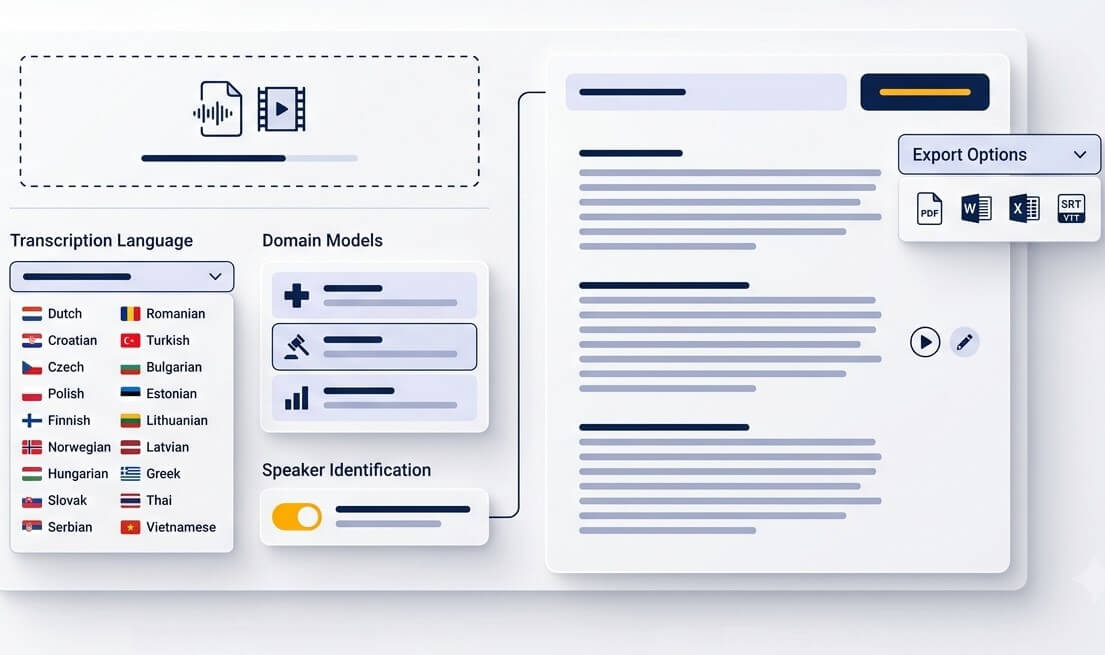
Upload an MP3, WAV, M4A, OGG, OPUS, WEBM, MP4, or another common recording format. Phone calls, meetings, lectures, interviews, and video files can be prepared in one place.
Select Thai (ไทย), then choose a transcript or caption workflow. Add important names, abbreviations, or specialist terms before processing when the recording includes terminology that needs close attention.
Open the timestamped result, listen back to important passages, and correct wording where needed. Export text for documentation or create SRT and VTT files for Thai subtitles.
From a short voice note to a long seminar, a transcript gives spoken material a useful second life
Save an important Thai voice message, upload the audio, and read it instead of replaying it repeatedly. This is useful for instructions, addresses, and follow-up details.
Convert lectures and workshops into notes that can be searched by topic. Students can return to timestamps when a definition or explanation needs checking.
Prepare captions for YouTube, social media, or internal training videos. A Thai video transcription SRT file improves access for viewers watching without sound.
Use a Thai interview transcription service to create a working draft with timestamps. Researchers and journalists can then verify quotes against the original recording.
Preserve family stories, community interviews, and spoken memories in text. A transcript makes meaningful recordings easier to organize and pass on.
Turn recorded Thai meetings into a reviewable summary source. Search discussion points, confirm responsibilities, and share the relevant timestamps with colleagues.
A strong first draft helps teams spend less time replaying recordings and more time reviewing what matters
Organize participant interviews, focus groups, and field recordings with timestamps. Check sensitive statements and local terminology against the source before analysis.
Create a searchable draft from consultations, hearings, or recorded statements. Important wording, identities, and dates should always be reviewed by a qualified person.
Find recurring questions in Thai customer calls, prepare podcast notes, or create caption-ready text for media teams working with long recordings.
Thai speech needs language-aware processing, followed by thoughtful review when names, quotations, or decisions matter
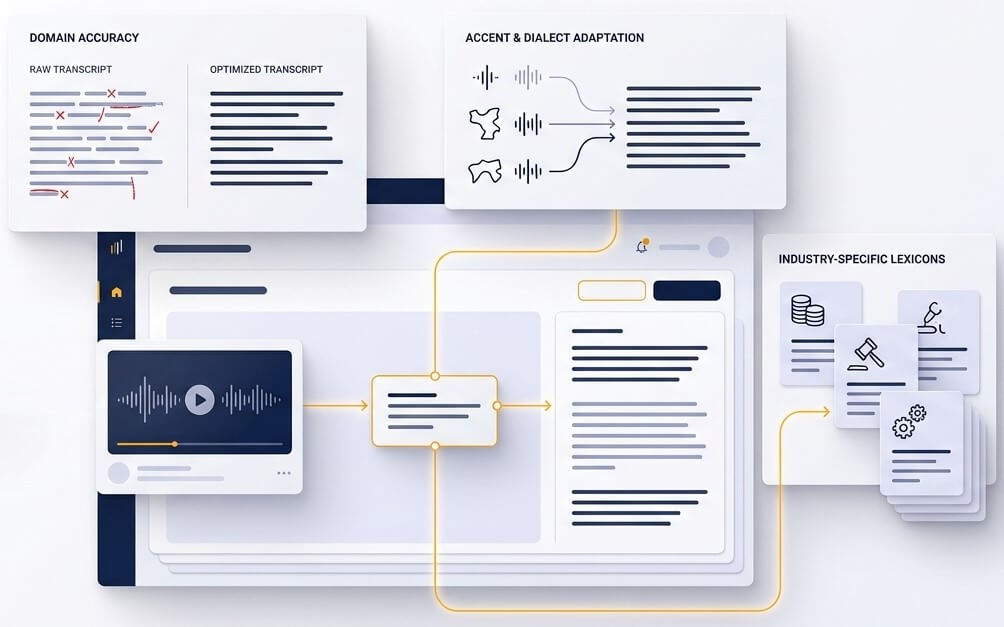
Thai sentences commonly run words together without the spaces found in English. A useful transcript needs more than a stream of recognized sounds. It needs sensible word segmentation, punctuation, and paragraph breaks so readers can scan the discussion, locate a point, and make corrections without losing context.
Thai recordings may include Central Thai, Northern, Southern, or Isan-influenced speech, plus English brand names and technical vocabulary. Tone and vowel length can change meaning, while fast conversation can blur syllables. Context from the surrounding sentence helps create a stronger draft, but an editor remains important for unusual names and high-stakes material.
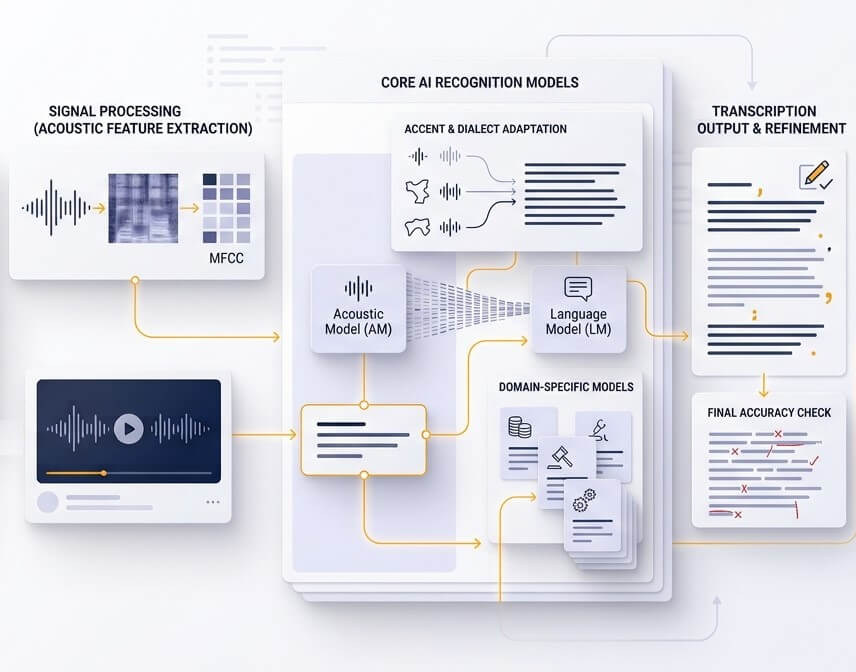
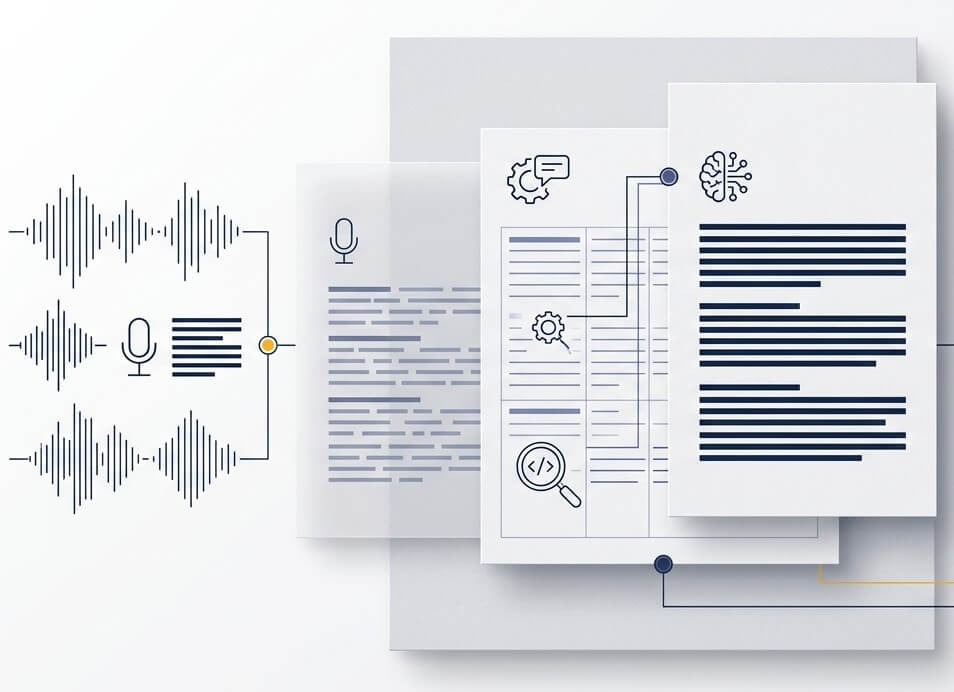
A transcript is the starting point for accessible video, not the final caption file. Timed SRT or VTT exports connect each phrase to the correct moment on screen. Reviewing line length, speaker changes, and unfamiliar words before publishing gives Thai viewers a clearer subtitle experience.
Quality depends on the recording. A close microphone, one speaker, and low room noise produce the cleanest first draft. Overlapping speech, distant calls, regional varieties, and specialist names create more review work. For quotations, medical notes, legal material, or research findings, compare the final text with the audio before publishing or making a decision.
Yes. Upload a Thai video file, create the transcript, and select a subtitle export when available. SRT and VTT files include timing information for video platforms. Review timing, names, and line breaks before uploading captions to a public video.
New accounts can start with a free trial to test Thai speech recognition on a real recording. Available trial usage and current limits are shown in the account area before a paid plan is selected.
Files are transferred through encrypted connections, and account controls allow recordings and transcripts to be deleted. For sensitive interviews or confidential meetings, obtain participant consent and check the retention settings and plan terms before uploading.
Yes. Upload the interview, generate a timestamped draft, and use the editor to check speaker turns, names, and direct quotes. For academic, journalistic, or legal work, use the recording as the source of truth and proofread all cited passages.
Yes, for uploaded Thai audio and video files. This browser-based Thai audio to text converter software turns recordings into editable text rather than requiring a local installation. It can process voice notes, recorded calls, meetings, lectures, and video audio, then provide text or subtitle exports.