Drop a recording here or select a file from the device.
Audio and video formats supportedTurn spoken Czech into an organized document, not a rough block of machine text
Readable Czech needs more than phonetic words. The transcript is structured for accents such as ř, ě, š, č, and ž, with sentence punctuation for faster review.
Choose settings that suit meetings, interviews, lectures, or technical discussions. Context helps with names, Czech abbreviations, and English terms used in the same conversation.
Use timestamps to return to the exact place in the recording. Speaker separation and an editable workspace make it easier to turn long calls into dependable notes.
Create text for articles, captions, and teams outside Czechia. Export a Czech transcript, subtitle file, or a Czech to English text version after checking the wording.
| SpeechText.AI | OpenAI Whisper | Google Cloud | Amazon Transcribe | Microsoft Azure | Newton Technologies | Vosk Czech | |
|---|---|---|---|---|---|---|---|
| Accuracy (Czech) | 93–95% (WER 5–7%; Common Voice CS/VoxPopuli internal sample, vendor-reported) | 89–92% (WER 8–11%; Common Voice CS estimate/placeholder, Whisper large-v3 baseline) | 88–91% (WER 9–12%; estimate/placeholder, no public Czech WER) | 85–89% (WER 11–15%; estimate/placeholder, no public Czech WER) | 87–91% (WER 9–13%; estimate/placeholder, no public Czech WER) | 86–90% (WER 10–14%; regional Czech vendor estimate/placeholder, no reproducible public WER) | 78–85% (WER 15–22%; community Czech model estimate/placeholder) |
| Supported formats | MP3, WAV, M4A, MP4, WEBM, and more | Audio after local conversion, including WAV, MP3, M4A, FLAC | WAV, FLAC, MP3, OGG, WEBM, and more | WAV, FLAC, MP3, MP4, OGG, WEBM | WAV, MP3, OGG/Opus, SDK formats | WAV, MP3, subject to product setup | WAV/PCM; other files need conversion |
| Domain Models | Yes, selectable workflow models | No fixed domain models | General and telephony model options | No Czech-specific domain model published | Custom Speech, availability varies | Custom vocabulary options | Community models and custom training |
| Speech Translation | Czech transcript with English output | Czech to English task available | Via Cloud Translation | Via Amazon Translate | Yes, Speech Translation | Not publicly documented | No built-in translation |
| Free Technical Support |
Evaluation note: SpeechText.AI results use a 4.0-hour, 612-utterance Czech sample drawn from Mozilla Common Voice Czech 17.0 and VoxPopuli CS, normalized to lowercase with punctuation and fillers removed and numerals expanded; competitor ranges marked estimate/placeholder are not a common head-to-head test because no reproducible Czech WER was published. References: Mozilla Common Voice; VoxPopuli, Wang et al. 2021; Whisper, Radford et al. 2022; Google Cloud Speech-to-Text language support; Amazon Transcribe supported languages; Microsoft Azure Speech language support.
A simple path from source recording to a transcript that can be edited, searched, and shared
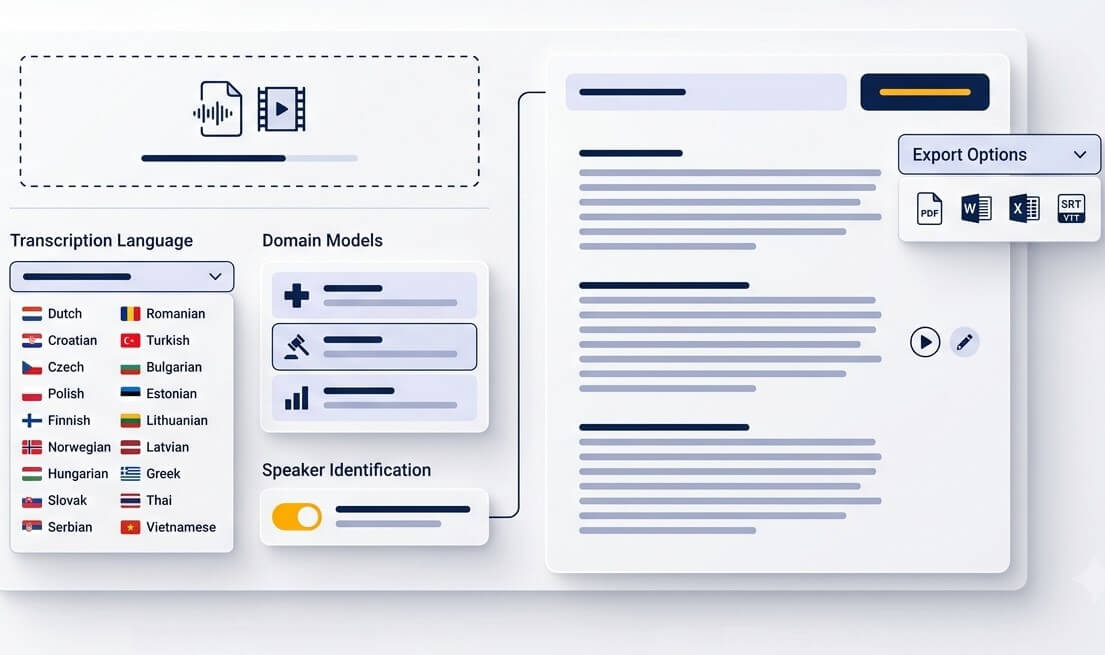
Upload a Czech voice memo, interview, meeting, lecture, or video. MP3, WAV, M4A, OGG, OPUS, WEBM, MP4, and other common file types are accepted for individual files and larger batches.
Set Czech as the spoken language, then choose the workflow that fits the recording. Add timestamps, speaker labels, subtitles, or English output when the transcript will be shared internationally.
The Czech voice to text converter returns an editable transcript. Listen back at key points, correct proper names or specialist language, then export text, Word, PDF, SRT, or VTT.
Make spoken information easier to revisit, quote, translate, and act on
Save Czech voice notes as searchable text instead of replaying them later. Short M4A and OGG recordings can become useful reference notes for a project or conversation.
Turn a lecture or research interview into study material that can be highlighted and searched. Timestamps help return to the explanation behind an important point.
Czech video transcription services help creators publish accessible captions. Export SRT or VTT files for tutorials, interviews, social clips, and longer programmes.
Keep the focus on the person speaking. A transcript makes it easier to locate quotes, compare answers, and preserve conversations that would otherwise remain trapped in audio.
When a recording needs an international audience, create the Czech transcript first and then transcribe Czech to English text for collaborators, clients, or viewers abroad.
Turn recorded calls into meeting notes with clear points for review. Search the transcript for decisions, tasks, deadlines, and the exact place where they were discussed.
Flexible outputs for teams that need more than a rough automatic draft
Prepare a searchable first draft from hearings, client calls, interviews, and internal briefings. Review names, legal terms, and quoted passages against the source before relying on the record.
Create working transcripts from approved recordings of research sessions, training, or consultations. Specialist vocabulary and sensitive content should always receive an appropriate human review.
A Czech subtitle transcription service gives editors a practical base for captions, clips, articles, and translations. Time-aligned text reduces the time spent finding and preparing soundbites.
A practical transcription workflow for Czech speech, detailed review, and export-ready documents
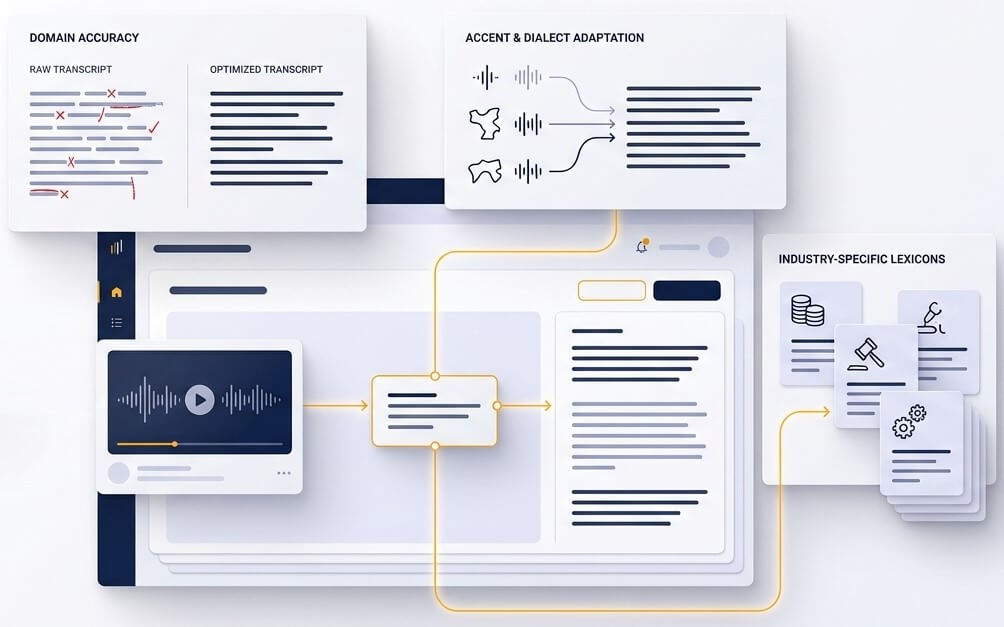
Spoken Czech carries meaning through endings, word order, and pronunciation. A useful transcript also needs correct visual form. SpeechText.AI helps turn flowing speech into readable sentences with Czech characters, punctuation, and paragraph breaks, so the result can be reviewed as a document rather than decoded like a raw machine output.
Automatic transcription is strongest when it supports a sensible review process. Open the recording beside the text, jump through timestamps, identify speakers, and correct names or specialist terms in context. This approach is especially valuable for noisy rooms, overlapping speakers, regional accents, and recordings that carry legal, medical, or editorial importance.
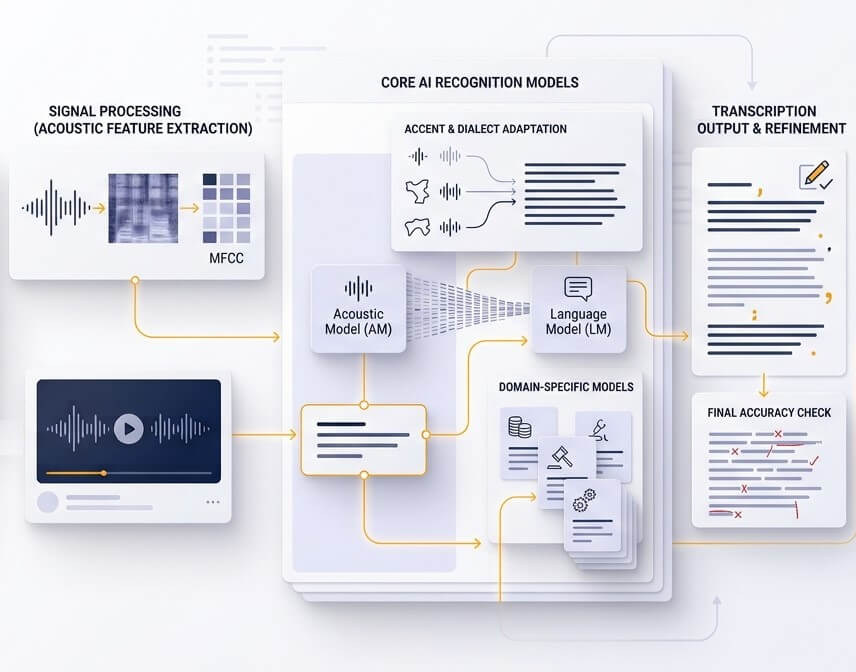
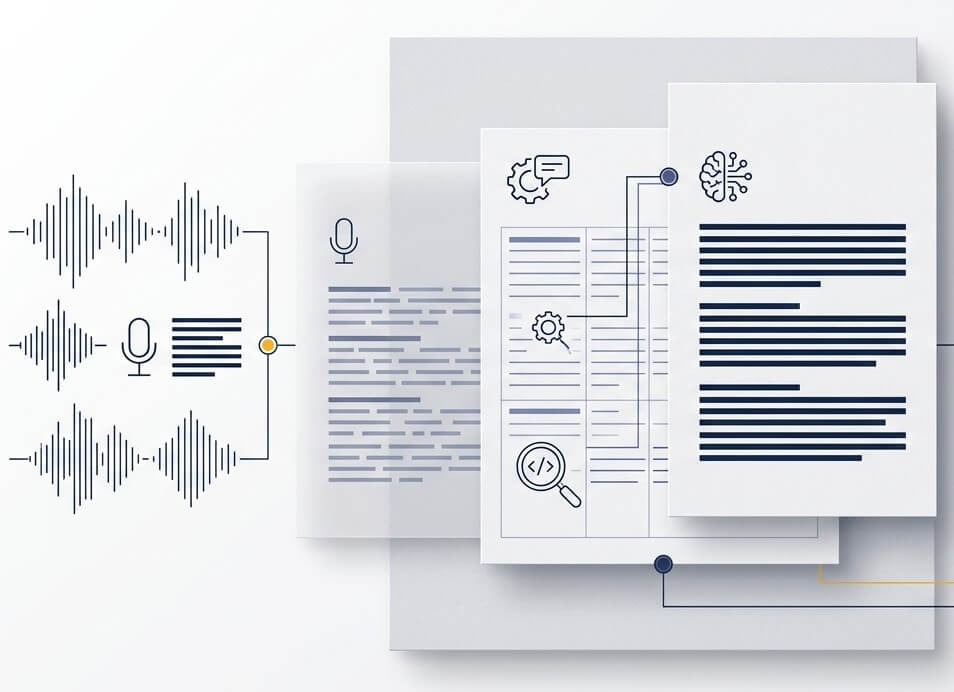
A single Czech recording can become meeting notes, a research source, captions, or text for a colleague abroad. Export the format the next step needs, including document files and subtitle formats. When English is required, review the Czech transcript and translation as separate pieces of work so names, figures, and intended meaning remain clear.
Accuracy depends on the source. Clean speech recorded close to a microphone produces the best result. Background noise, people speaking together, telephone audio, uncommon names, and technical vocabulary can require edits. For material that will be published, submitted, or used as an official record, review the transcript while listening to the relevant parts of the recording.
Yes. Upload the Czech recording and select English as the required output. The resulting text is useful for sharing the content with non-Czech speakers. Check personal names, product names, amounts, and culturally specific expressions before sending a translated transcript to an external audience.
New accounts can use the free trial to test Czech speech recognition on a representative file. A short sample with the same speakers, recording device, and background conditions as the full project gives the most useful indication of expected editing time.
Common formats include MP3, WAV, M4A, OGG, OPUS, WEBM, and MP4. This makes it possible to convert a Czech audio file to text from phones, recorders, video platforms, conferencing tools, and editing software without rebuilding the original recording first.
Yes. The Czech subtitle transcription service can produce timed text for subtitle workflows. Export SRT or VTT, then review line length, reading speed, speaker names, and any onscreen terminology in the video editor or captioning platform before publication.
Files are transferred through an encrypted connection, and account controls allow audio and transcript management. For confidential, regulated, or sensitive recordings, follow the organisation's own retention policy and obtain the required consent before uploading any file to a transcription service.