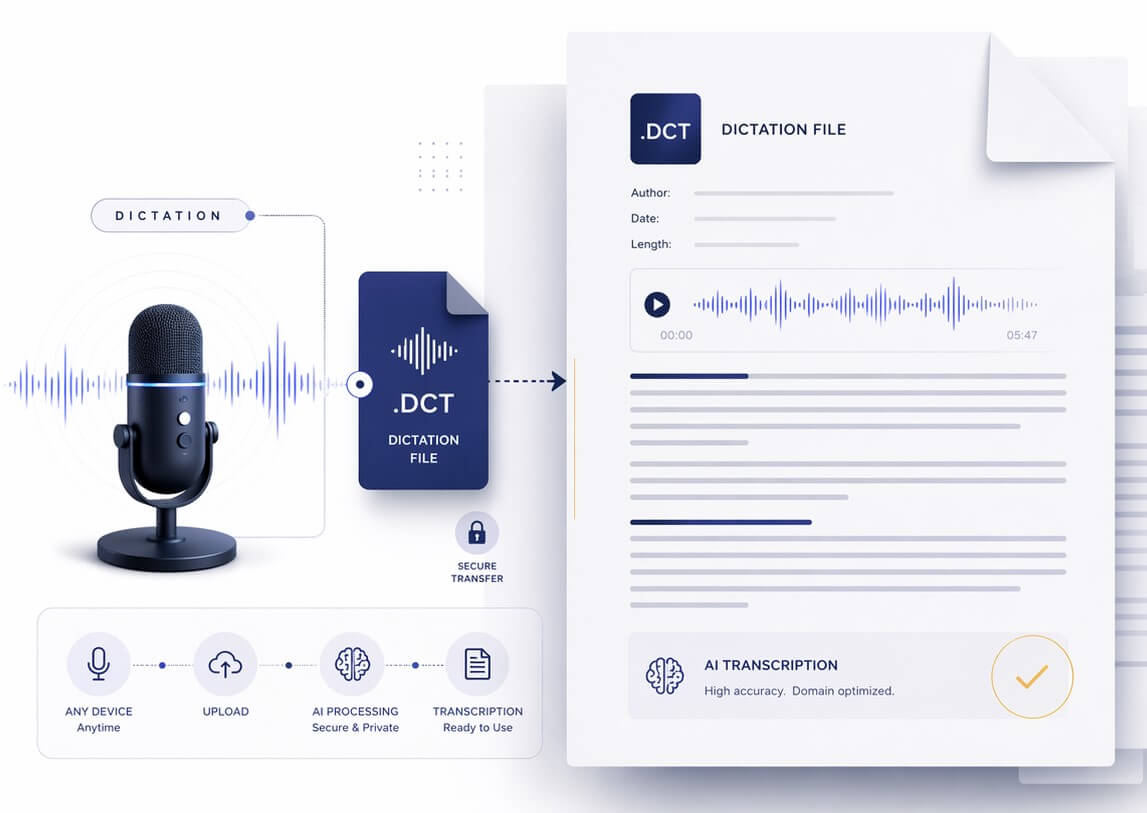
Off-the-shelf speech recognition software falls apart when faced with complex pharmacology terms or legal precedents. Our specialized engines decode your professional dictations in seconds.
| Performance Metric | SpeechText.AI (Industry Specific) | Basic Transcription Tools |
|---|---|---|
| Vocabulary Precision | Exceptional (Trained directly on clinical terminology, penal codes, and case law) | Unreliable (Struggles heavily with Latin phrases and medication names) |
| Audio Environment | Adaptive (Built to handle muffled pocket recorders and dictation on the go) | Needs studio-quality, clear audio to function well |
| Privacy & Compliance | Private (Your dictations are never used to train public algorithms) | Questionable (Free tools often harvest data for future machine learning) |
| Output Formatting | Intelligent casing and punctuation for official charts and briefs | Blocky text with conversational formatting |
The .dct format locks your voice data with proprietary encryption to protect sensitive client and patient information. To run this audio through our AI, you just need to follow a quick export process.
You cannot drop a raw .dct file into your browser or a standard media player. Instead, grab the official decoding utility designed specifically for this format. You need to download the Switch Audio Converter by NCH Software. It safely unwraps the encryption and prepares your files for transcription.
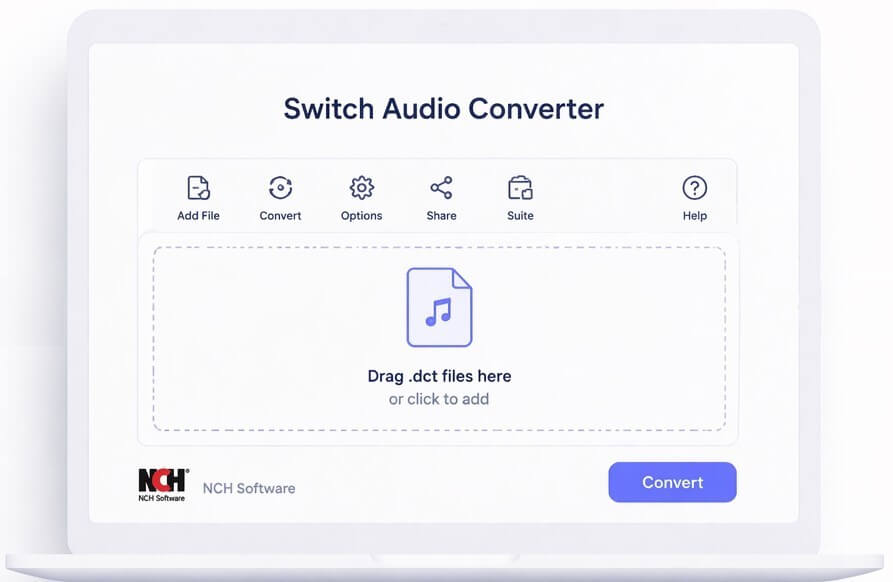
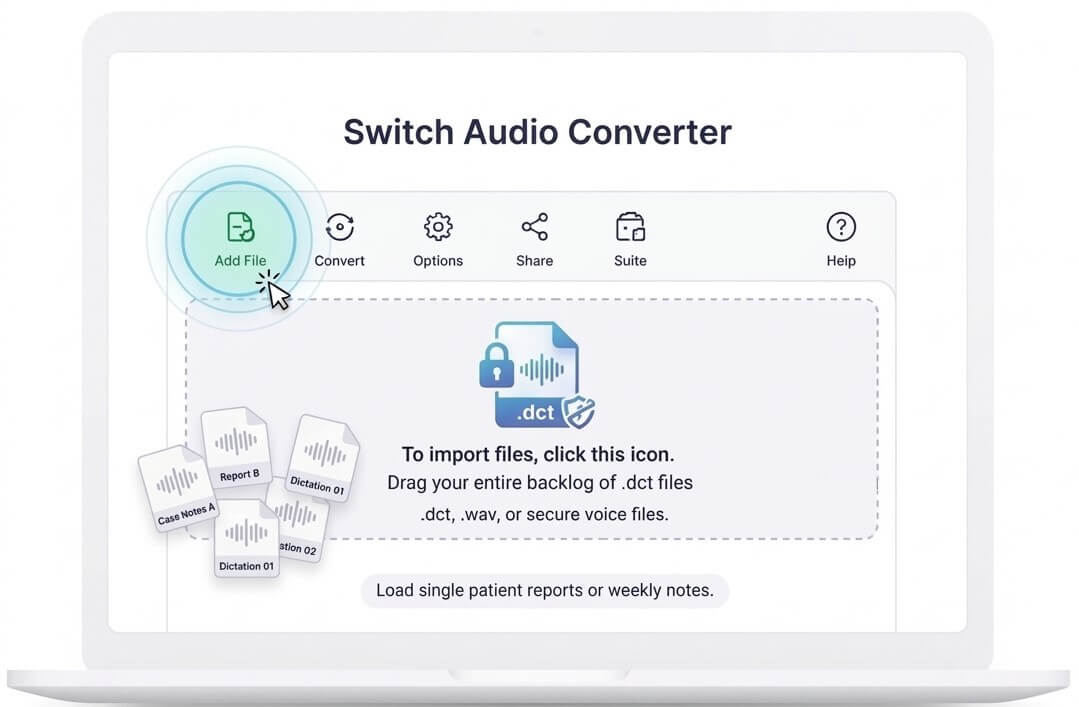
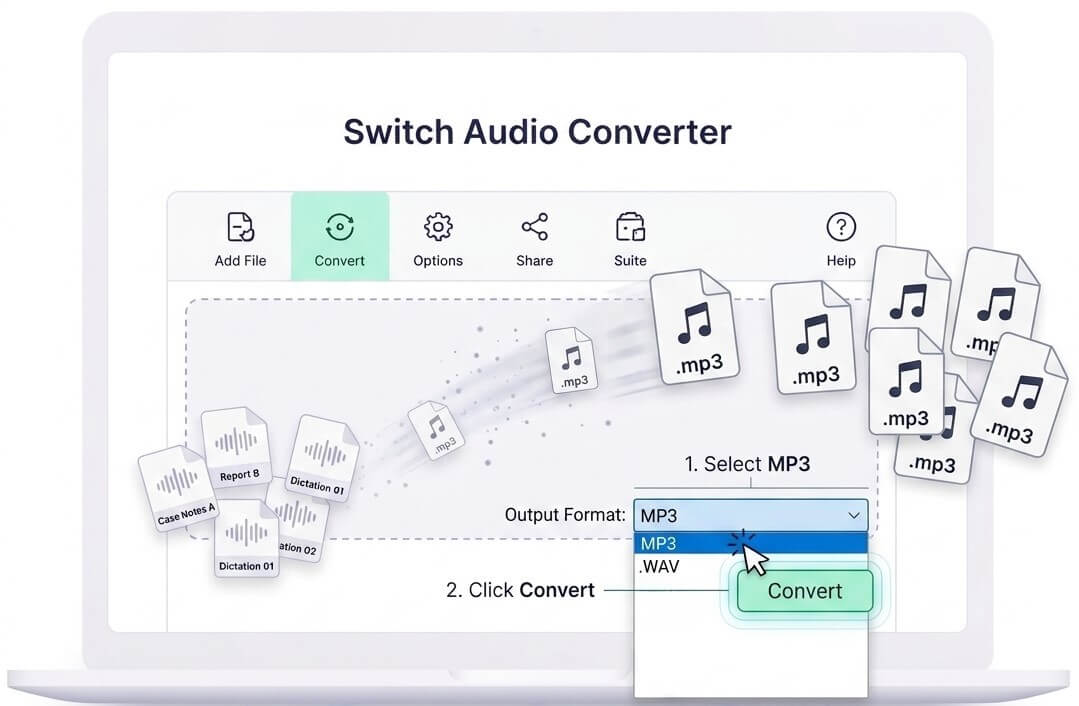
Once you open the software, locate the green Add File(s) icon at the top of the window. Navigate to the folder where your Express Dictate files are saved. You can load a single patient report or grab your entire backlog of weekly case notes and drag them straight into the queue.
Look at the bottom of the software interface for the "Output Format" options. Set this dropdown menu to MP3. Finally, click the Convert button. The software will strip away the proprietary wrapper, leaving you with clean, universally compatible audio files ready for high-speed AI processing.
Simply drop your fresh MP3 files into our platform. First, our system scrubs the audio track to enhance vocal clarity - a crucial step if you frequently dictate in noisy environments, like a busy hospital ward or inside your car.
Next, tell the AI your industry by selecting the Medical or Legal domain. The software dynamically applies the correct dictionary, intelligently formats dosages and proper nouns, and produces a highly accurate draft. You can then quickly review the text in our editor and push it straight into your practice management software.
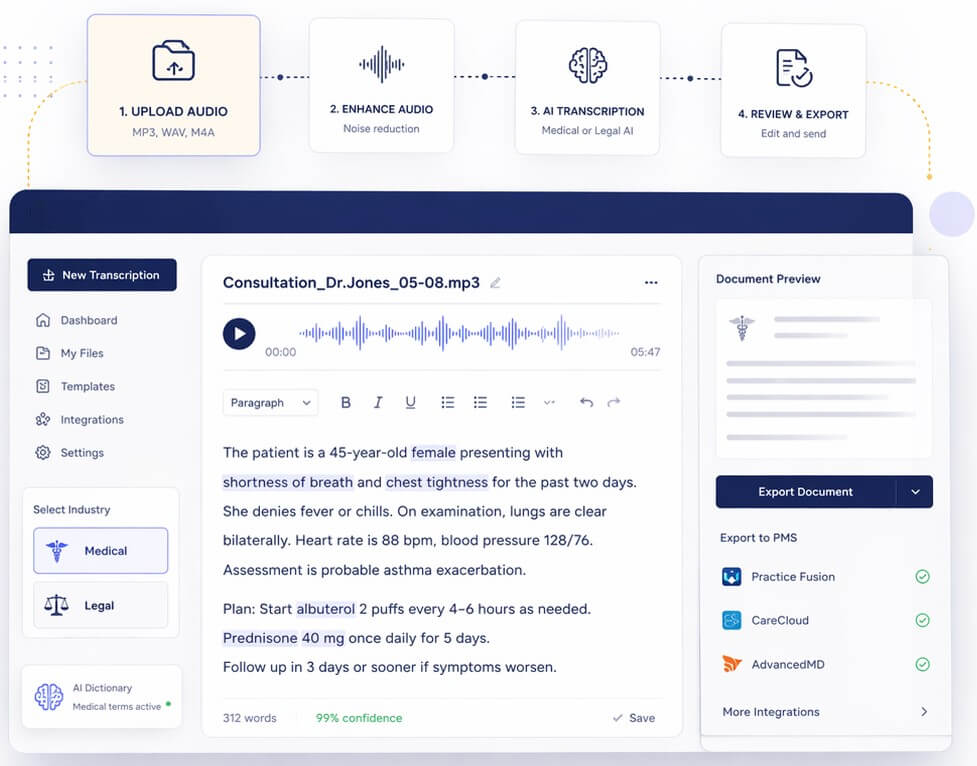
Understanding the architecture behind secure dictation workflows.
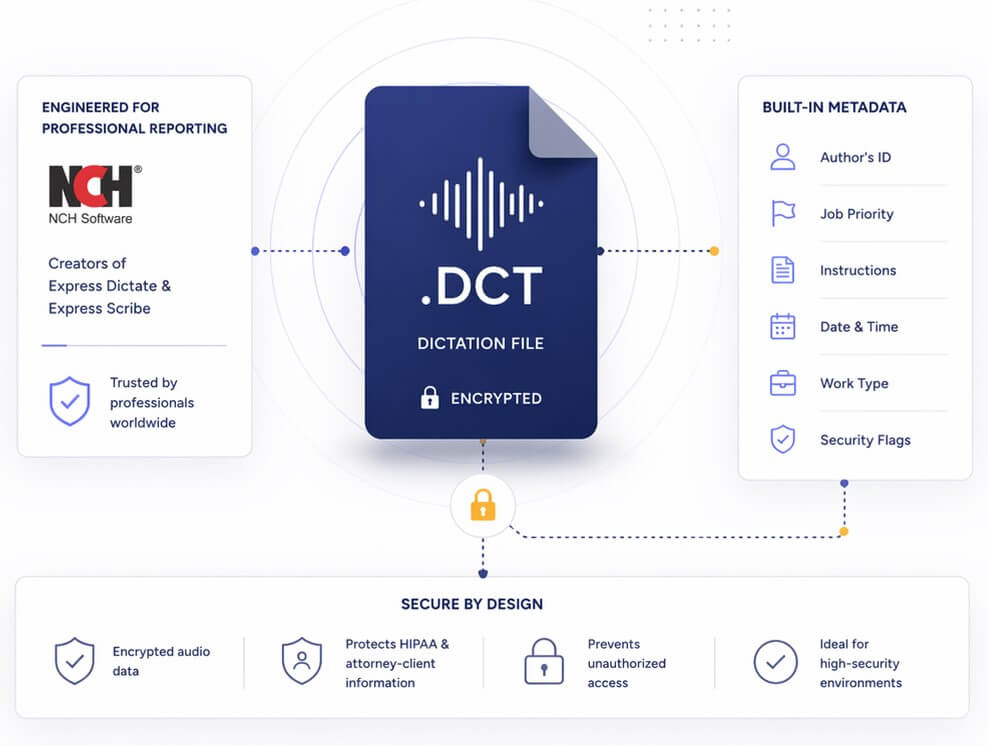
A .dct file isn't just a simple audio track. Engineered by NCH Software (the creators of Express Dictate and Express Scribe), it is a specialized container built exclusively for professional reporting.
When a doctor or attorney speaks into their handheld device or smartphone app, the .dct format tightly encrypts the voice data. It also binds important metadata directly to the audio, such as the author's ID, job priority flags, and specific text instructions for the transcriptionist. This prevents unauthorized access to strict HIPAA or attorney-client data if the file is ever intercepted, making it a staple in high-security environments.
Free up hours of manual typing and reduce your administrative backlog.
Keep your patient charts updated without typing after hours. Our medical engine correctly identifies complex anatomy and pharmacology, helping you maintain compliance with strict HIPAA guidelines.
Dictate your thoughts, briefs, and client letters on the go. Convert the secure files and let our legal AI map out the text, completely preserving attorney-client privilege in the process.
Officers and detectives rely on encrypted dictation to log field notes and witness interviews securely. Quickly export the audio and generate precise text for official incident reports.
Dramatically increase your daily output. Instead of starting from scratch in Express Scribe, use our AI to generate a highly accurate rough draft, then simply proofread and format the final document.
Capture site damages and claimant statements in the field using secure dictation. Send the locked files to the main office, convert them, and instantly populate your claims database.
Manage surveillance logs and confidential client updates. Process your private, encrypted notes into text swiftly so you can deliver comprehensive reports to your clients faster.
Created by NCH Software, a .dct file is the standard format used by the Express Dictate system. It combines compressed voice recordings with sender information and robust encryption, ensuring professionals can share dictations over the internet securely.
Not out of the box. Default audio apps on iOS, Android, or Mac do not recognize the encoding. You either need to install NCH’s Express Scribe dictation player to listen to the track, or use their Switch Converter tool to turn it into an accessible MP3.
Grab the free or licensed version of the Switch Audio Converter by NCH. Drop your files into the dashboard, select MP3 as your desired output, and press the convert button. The resulting files are immediately ready for AI transcription.
We adhere to strict data security protocols. We process your audio using encrypted channels, and we absolutely never store or monitor your private medical charts, legal notes, or transcripts to train public AI models. Your business data remains entirely yours.
Yes. Before generating your text, you can choose our specialized "Medical" engine. It has been trained on massive datasets of clinical language, ensuring that diagnoses, anatomical references, and complex pharmaceutical names are spelled correctly.
While both are used for dictation, they originate from different ecosystems. DSS (Digital Speech Standard) is an older standard developed collaboratively by hardware makers like Olympus and Philips. DCT was created specifically by NCH Software for their Express Dictate software line. Our platform can easily transcribe both formats once converted to MP3.
Yes. The Switch Audio Converter allows for bulk processing, so you can highlight an entire folder of notes and convert them to MP3 simultaneously. Once finished, you can bulk upload those new MP3s straight into your SpeechText.AI dashboard to save even more time.